
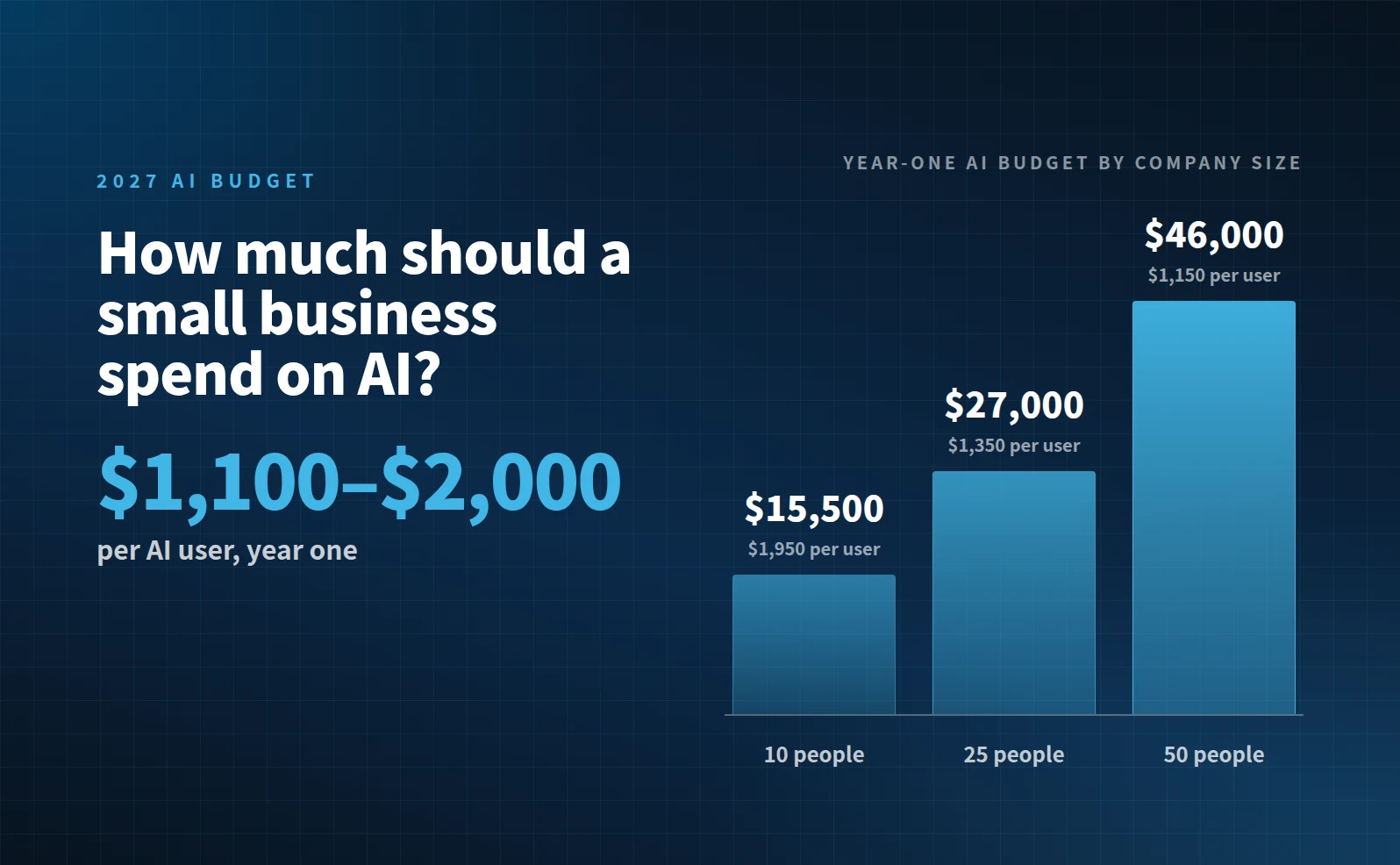
For a business with 10 to 50 people, plan on about $1,100 to $2,000 for each person who will use AI in year one. For a ten-person company, that’s about $15,500. For a 50-person company, it’s about $46,000. Year two usually costs less because the setup is already done.
The software is the smallest part of that number. If your budget only has a line for licenses, it’s probably missing most of the real cost.
What the money pays for
A working AI budget has six lines. Here are typical market ranges for small businesses.
| Line | Typical range | Why it’s there |
|---|---|---|
| AI tool seats | About $20 to $30 per user per month | Copilot, ChatGPT, or Claude business plans |
| Agents and add-ons | $0 to a few hundred dollars a month | Usage-based features that bill on top of seats |
| Assessment, policy, and setup | Roughly $250 per employee, one time ($2,500 to $15,000) | Deciding which tool fits, writing the rules, connecting it safely |
| Training | About $100 to $200 per user per year | People who aren’t shown how don’t use it |
| Data protection and monitoring | About $10 to $15 per user per month | Catches sensitive data going into tools you didn’t approve |
| Ongoing help | A few hundred to $1,000 a month | Questions, fixes, and new automations as you go |
Add a 10% buffer on top. AI pricing changed several times in 2026, and it will change again.
What that looks like at three sizes
These use mid-range numbers and assume about eight in ten people use AI.
| Company size | AI users | Year-one budget | Per AI user |
|---|---|---|---|
| 10 people | 8 | About $15,500 | About $1,950 |
| 25 people | 20 | About $27,000 | About $1,350 |
| 50 people | 40 | About $46,000 | About $1,150 |
The cost per user drops as you grow because setup and ongoing help are shared across more people.
The trade-offs that actually move the number
Fewer seats, not cheaper seats. You don’t need everyone on day one. Start with the people who write, research, or handle documents all day. The difference between tools is a few dollars a month. The difference between 10 seats and 40 is thousands.
Skip the agents in year one. Agents and usage-based add-ons are where costs surprise people. Get the basics working first, then add them in year two once you know what’s worth automating.
Don’t cut training or data protection. These are the lines owners cut first, and they’re the ones that matter most. Without training, licenses sit unused. Without data protection, staff paste client information into free personal accounts, and you won’t know it’s happening.
Setup is a one-time hit. If year one looks heavy, remember that the assessment and policy work doesn’t repeat. Year two is mostly seats, training refreshers, and support.
Will it pay for itself?
Often, yes, but only if people use it. If 8 people each save two hours a week at $45 an hour, that’s more than $30,000 a year in time back on a $15,500 budget. If half of them never log in, it barely breaks even.
That’s why we tell owners to budget for training and help before they budget for more seats.
Get your own number
These ranges are a starting point. Your real number depends on how many people you have, which tool fits, and how much help you want along the way.
The free 2027 AI Plan worksheet does the math for you. Enter your headcount, pick a tool, and it builds your year-one budget line by line, plus the time it should save you.
Build your 2027 AI plan
Sanjay Khosla is the founder and CEO of Blueprint AI. He has spent thirty-plus years in IT, built and sold two businesses, and now helps small and midsized businesses adopt AI safely and practically. More about Sanjay